From Figma to Klaviyo
in minutes
Not everyone needs HTML. Most Klaviyo emails are image-based. Skip the complexity and send pixel-perfect images directly from Figma to Klaviyo.
Works with any Figma frame. No code, no compatibility issues, no Photoshop.
Three ways to go from Figma to Klaviyo
Compare the approaches and pick what works for your workflow.
Manual Export
- 1.Export PNG from Figma
- 2.Open Photoshop
- 3.Slice manually
- 4.Compress each file
- 5.Upload to Klaviyo
HTML Export Plugins
- 1.Install HTML plugin
- 2.Export HTML code
- 3.Fix broken layouts
- 4.Debug email clients
- 5.Upload to Klaviyo
EmailSlicer
- 1.Open plugin in Figma
- 2.Place guide lines
- 3.Click Send to Klaviyo
Most Klaviyo emails are image-based. Here's why.
The majority of e-commerce emails in Klaviyo use full-width image sections, not complex HTML layouts. It's simpler, more reliable, and gives designers full creative control.
- Immune to dark mode rendering issues
- Pixel-perfect across all email clients
- Designers maintain full creative control
- No developer needed between design and deployment
- Faster production cycle from design to send
Design → Slice → Send to Klaviyo
Three steps, all inside Figma. Or use the web app if you prefer.
Design your email in Figma
Create your email as you normally would — any layout, any complexity. No special setup, layers, or naming conventions needed. Just design freely.
- Works with any frame or component
- No plugin-specific setup required
- Keep your existing Figma workflow
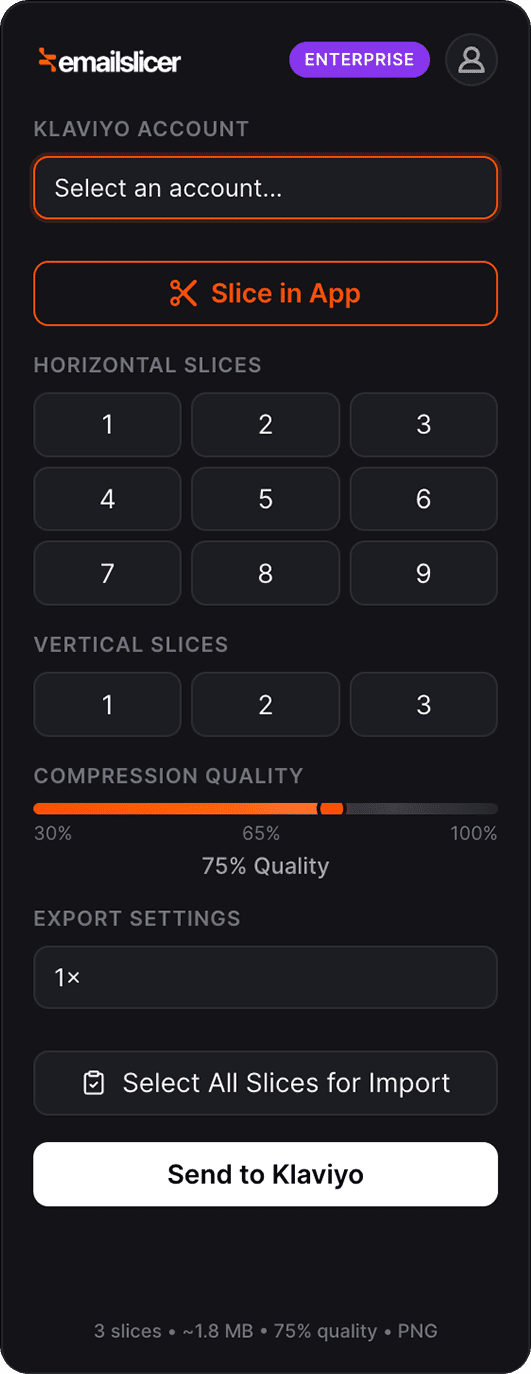
Slice with the plugin
Open the EmailSlicer plugin inside Figma. Choose how many horizontal sections you want, adjust compression quality, and select your output format.
- Equal or custom slice divisions
- JPEG, PNG, or WebP output
- Adjustable quality (1x, 1.5x, 2x scale)
Send to Klaviyo
Select your Klaviyo account from the dropdown and hit send. All slices are uploaded to your Klaviyo image library — ready to drag into your next campaign.
- Direct API integration, no manual upload
- Multi-account support for agencies
- Images appear in your Klaviyo library instantly
Send to Klaviyo
How EmailSlicer compares
Feature-by-feature comparison for the Figma-to-Klaviyo workflow.
Time per email
Manual
30+ min
HTML
45+ min
EmailSlicer
~1 min
Design fidelity
Manual
High
HTML
Medium
EmailSlicer
Pixel-perfect
Dark mode safe
Manual
Yes
HTML
No
EmailSlicer
Yes
Requires coding
Manual
No
HTML
Yes
EmailSlicer
No
Direct Klaviyo import
Manual
No
HTML
No
EmailSlicer
Yes
Multi-account support
Manual
No
HTML
No
EmailSlicer
Yes
Price
Manual
Free (your time)
HTML
$15-30/mo
EmailSlicer
From $0
Ready to try the Figma plugin?
Free to install. Works with any Figma design. Slice, compress, and send to Klaviyo without leaving your design tool.
Common questions
Stop fighting HTML.
Start sending beautiful emails.
From Figma to Klaviyo in minutes. Every time. Pixel-perfect images that render identically across all email clients.
Free plan available. No credit card required.